AI Photo Enhancer: Sharpen and Upscale Old Photos
AI photo enhancer from ImgColorizer turns a small or soft old photo into a sharper, larger image ready to print.
A precision upscaler drives the photo enhancer: the image enhancer sharpens the detail already in your photo instead of painting new detail, and raises photo, image and picture quality without reinventing faces or adding color. Small or soft scans come back up to 4 times larger, toward about 4,000 pixels on the long side; after Restore or the image colorizer when your photo needs them, you upload the photo, let the AI enhancer pick its size and download the print-ready result.
Works with JPG · PNG · WebP · HEIC · TIFF
Upload a photo to enhance
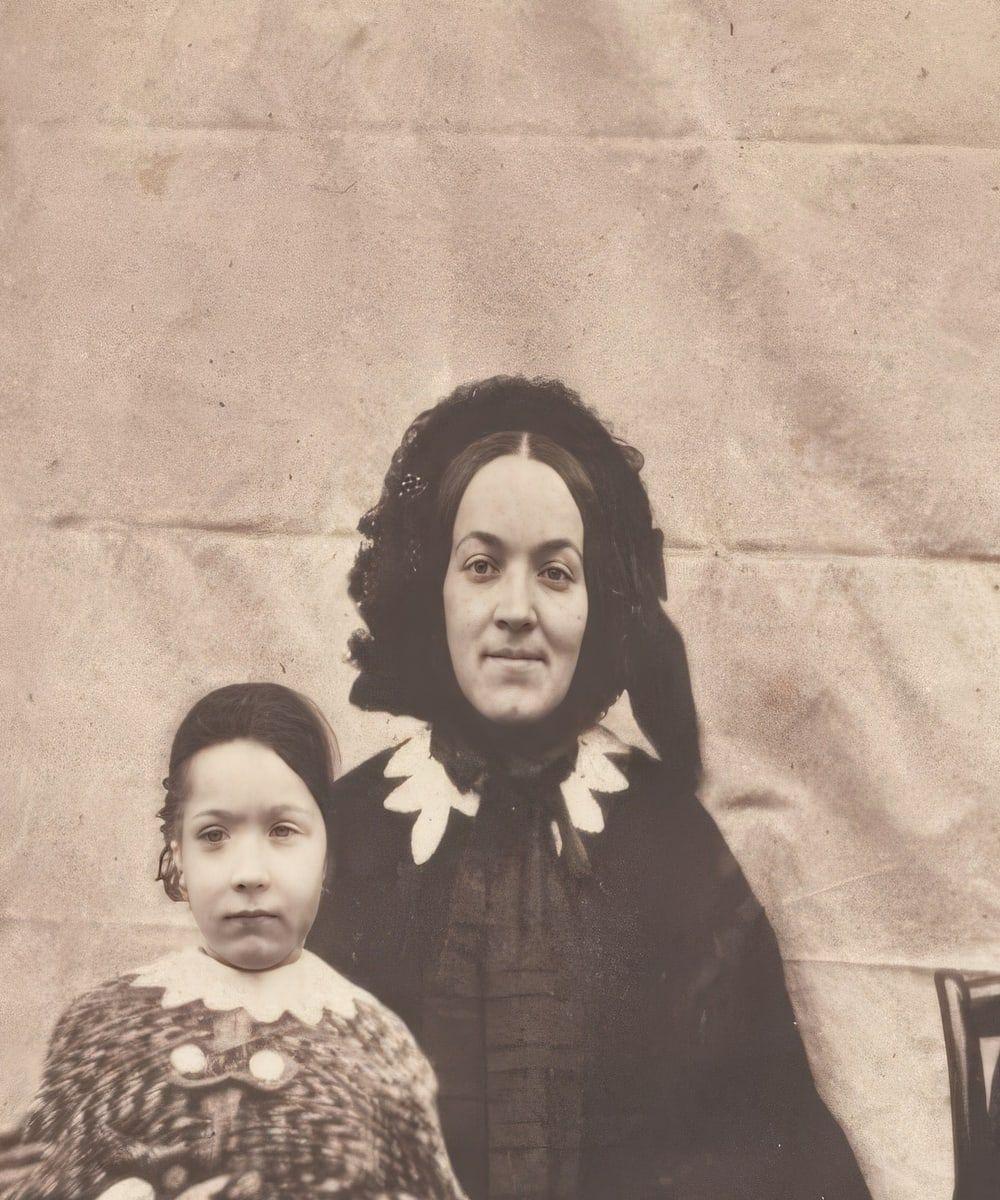
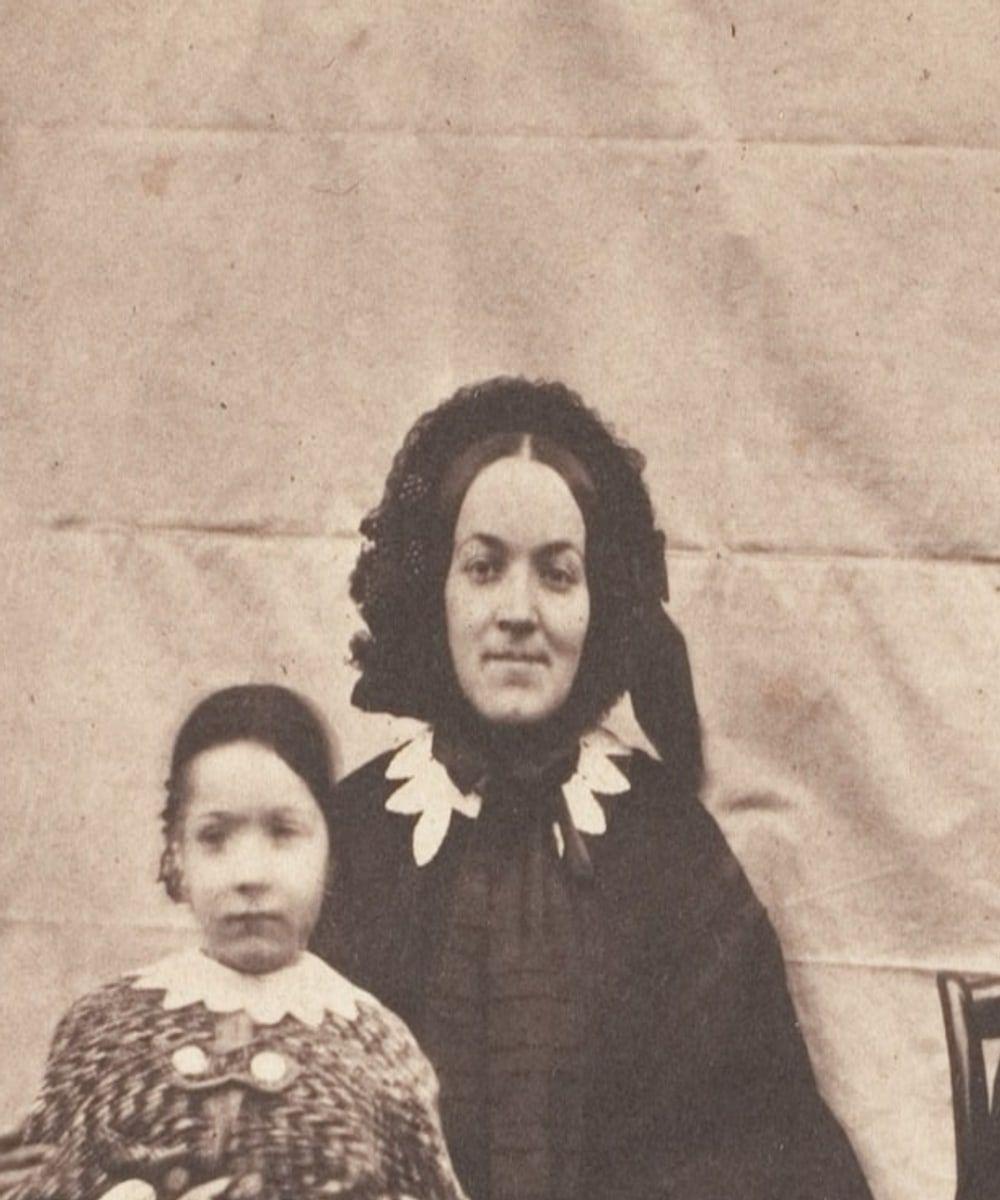
See a real result
How to Use the AI Photo Enhancer
To use the AI photo enhancer, upload a small or soft photo, let the enhancer choose the size, then download the file for print.
The photo enhancer runs in your browser with nothing to install, and the same three steps cover how to enhance a photo, how to edit photo quality, how to improve image quality and how to increase the resolution of an image.
The first of the three steps is the upload of your photo.
Upload a Small or Soft Photo
To upload a photo to the AI photo enhancer, choose a small or soft photo in JPG, PNG, WebP, HEIC or TIFF format up to 40 MB, or press "Sharpen and upscale this" on one of your colorized or restored results. An image or picture of bad quality is the right starting point for a low quality image to high quality conversion, and the photo enhancer reads the uploaded photo to pick its enlargement size.
The AI Photo Enhancer Picks the Size
The AI photo enhancer picks the size by enlarging your photo between 1.5 and 4 times, as close to 4,000 pixels on the long side as the source allows, and uses a model made for low-resolution photos on scans under about 800 pixels. The chosen enlargement lets the photo enhancer enhance pic size, image size and quality in one pass, ready for you to compare the result with your original and download it.
Download the Enhanced Photo for Print
To download the enhanced photo for print, drag the before and after slider to compare the original with the enhanced photo, then download the full file for free and with no watermark. A side-by-side look at the enhanced pictures before you save the enhanced image confirms the enhanced pic is sharp enough to print.
Increase the Resolution of a Photo
The AI photo enhancer increases the resolution of a photo by adding pixels as it enlarges the photo up to 4 times, while sharpening the texture the camera recorded instead of inventing new texture.
For anyone asking how to increase image resolution or how to improve resolution of a photo, the image resolution enhancer makes a photo higher resolution and keeps its original content.
The resolution enhancer raises image resolution in the three ways below: a larger photo, an upscale without quality loss and an HD file.
Upscale a Photo Up to 4 Times Larger
The photo upscaler makes a photo up to 4 times larger, enlarging it from 1.5 to 4 times toward about 4,000 pixels on the long side.
As an image upscaler online, the AI photo enlarger lets you upsize a photo through AI upscaling, scaling the image up as far as the original allows.
Upscale a Photo Without Losing Quality
A photo keeps its quality when upscaled because a precision upscaler brings out the detail already in the photo and cleans compression blocks, so the larger file stays sharp instead of soft or blocky.
Precision upscaling lets you increase image resolution without losing quality, which answers how to increase picture resolution without losing quality on an old scan.
Make a Photo HD
A small photo becomes an HD photo when the AI photo enhancer enlarges it toward about 4,000 pixels on the long side, returning a high-resolution file larger than HD whenever the original allows.
As an HD photo enhancer, the AI photo enhancer can make an image HD or turn a picture into HD, giving you a high-res image for display or print.
Improve Photo Quality With AI
The AI photo enhancer improves photo quality by sharpening soft and slightly blurry photos, cleaning compression blocks from small JPEGs and sharpening faces without changing them.
As an image quality improver, the AI photo enhancer can improve picture quality, increase image quality and make an image better quality by revealing recorded detail rather than inventing it.
The three quality fixes below show how the photo enhancer can enhance image quality, picture quality and photo quality.
Sharpen a Soft Photo
The photo sharpener works on a soft photo by bringing out the edges and texture already present, without painting in new detail.
An AI image sharpen tool, pic sharpener or picture sharpening tool that lets you sharpen photos online keeps the result true to the original image.
Make a Photo Clearer
The AI photo enhancer makes a photo clearer by clearing softness and slight blur, leaving sharper edges and texture.
An image clarity enhancer can make a picture clearer and increase clarity of image, but motion blur and a badly out-of-focus photo stay beyond what the photo enhancer can fix.
Clean Up a Pixelated JPEG Photo
A pixelated JPEG photo is cleaned up when the AI photo enhancer, working as a pixelated photo enhancer, removes the compression blocks that make a small JPEG look pixelated and then enlarges it.
The JPG enhancer or JPEG enhancer can enhance a pixelated image, improve JPG quality and increase resolution of JPEG files without making the blocks more visible.
Make a Small Old Photo Print-Ready
A small old photo becomes print-ready when the photo enhancer takes a wallet-size print or a low-resolution scan that falls apart when enlarged and returns it up to 4 times larger and sharper, ready for a framed print.
Precision photography enhancement brings out detail already present in the old photo without painting in new detail.
AI Photo Enhancer vs Generative AI Image Enhancers
A precision AI photo enhancer differs from a generative AI image enhancer because the precision tool brings out detail already recorded in a photo, while a generative artificial intelligence image enhancer paints new detail that was never there.
| What differs | Precision AI photo enhancer | Generative AI image enhancer |
|---|---|---|
| Detail in the result | Precision AI photo enhancerDetail already recorded in the photo, brought out | Generative AI image enhancerNew detail that was never there, painted in |
| How it enlarges | Precision AI photo enhancerA precision upscaler sharpens the texture the camera recorded | Generative AI image enhancerA generative network infers photo-realistic textures |
| An old photo stays accurate | Precision AI photo enhancerYes | Generative AI image enhancerLess suited where accuracy matters |
A 2017 study by Christian Ledig and colleagues at Twitter, "Photo-Realistic Single Image Super-Resolution Using a Generative Adversarial Network," found that a generative adversarial network infers photo-realistic textures at 4x upscaling and noted that approaches that "hallucinate finer detail might be less suited for medical applications or surveillance."
Both methods count as AI image enhancement, but precision AI-powered image enhancement keeps an old photo accurate when you enhance photos online.
Enhance Old Photos Online With ImgColorizer
ImgColorizer lets you enhance old photos online with an AI photo enhancer that runs in your browser.
The online photo enhancer compares every result with your photo before you see it, then shows the enhanced result beside your original so you can download the full file for free.
Use ImgColorizer as an image enhancer online and photo improver to sharpen and enlarge an old photo without leaving the browser.
No Photo Enhancer App to Install
No app or software is needed because the AI photo enhancer runs in any browser on a computer or phone, so there is no photo improver app, photo enhancement app or image enhancer app to install.
The browser-based photo enhancer replaces image enhancement software, picture enhancement software and any app to enhance photos.
What the AI Photo Enhancer Never Changes
The AI photo enhancer sharpens and enlarges photos while keeping their original content. The parts of your photo the AI photo enhancer never changes are listed below:
AI Photo Enhancer With the Other Tools
The AI photo enhancer works with Restore, the image colorizer, Retouch and Animate on the same photo, with repair or color before the upscale, Retouch as a face-only option and Animate after it.
Restore
Restore an Old Photo Before Enhancing It
Restore repairs scratches, tears, stains and fading at the photo's own size. The AI photo enhancer enlarges the repaired photo last, once the damage is gone.
Restore an old photo3 credits a photo
Colorize
Colorize an Old Photo Before Enhancing It
The image colorizer adds natural color to a black and white photo while faces stay as they were.
Pressing "Sharpen and upscale this" on the colorized result enlarges and sharpens the photo for print.
Colorize a photo1 credit a photo
Retouch
Retouch Faces Instead of Enhancing the Whole Photo
Retouch keeps the photo at its original size and works only on soft or grainy faces, recovering each face one by one with the likeness checked.
The AI photo enhancer makes the whole photo bigger and sharper when the entire scan needs more resolution.
Retouch a portrait2 credits a photo
Animate
Animate an Enhanced Old Photo
Animate turns one portrait into a 5-second silent MP4 in which the person breathes and blinks. Every Animate clip carries a label that marks the clip as AI animation.
Animate an old photo8 credits a clip
AI Photo Enhancer Pricing
Start with 2 free colorizes. After that, one-time packs from $3.99: no subscription needed, and pack credits never expire.
Starter
$3.99 one time
10 credits · 40¢ a colorized photo
Ten black and white photos in color, or a few restored first.
Family
Most popular$9.99 one time
40 credits · 25¢ a colorized photo
A family album in color, with a clip of the photo you love most.
Archive
$24.99 one time
120 credits · 21¢ a colorized photo
For the shoebox in the attic, the family historian and the local archive.
AI Photo Enhancer FAQ
The AI photo enhancer FAQ groups questions by general use, features, the AI model, data privacy and pricing.
General Questions About the AI Photo Enhancer
The general questions explain what an AI photo enhancer is, how the precision upscaler works and who uses it.
What Is an AI Photo Enhancer?
An AI photo enhancer is a tool that makes a small or soft photo sharper and larger. The AI photo enhancer on the page is a precision quality enhancer that brings out detail already in your photo instead of painting in new detail.
Enhance my photoHow Does the AI Photo Enhancer Work?
The AI photo enhancer works by picking an enlargement between 1.5 and 4 times, aiming for about 4,000 pixels on the long side, and by using a model made for low-resolution photos on scans under about 800 pixels. Faces are sharpened with creativity set to zero, and the photo enhancer compares the result with your photo before you see it.
Enhance my photoWho Is the AI Photo Enhancer For?
The AI photo enhancer is for families and genealogists printing ancestors' photos, history lovers working with archive scans, and creators who need a small old photo large enough for a project.
Enhance my photoAI Photo Enhancer Features
The AI photo enhancer features below cover enlargement size, 4K output, blur, color, supported files and the order of tools.
How Much Bigger Can the AI Photo Enhancer Make a Photo?
The AI photo enhancer can make a photo up to 4 times bigger, aiming for about 4,000 pixels on the long side. The final size depends on the dimensions of the original photo.
Enhance my photoCan the AI Photo Enhancer Make a Photo 4K?
Yes, the AI photo enhancer can make a photo 4K when the original photo allows that size, because about 4,000 pixels on the long side reaches the width of a 4K UHD image. The 4K UHD image format measures 3,840 × 2,160 pixels, according to "Parameter values for ultra-high definition television systems for production and international programme exchange" (Recommendation ITU-R BT.2020-2) by the International Telecommunication Union, October 2015. As a 4K image enhancer, the photo enhancer can make a photo 4K on its longest side, though an AI image enhancer 4K result is not always a full frame of that size.
Enhance my photoCan the AI Photo Enhancer Fix a Blurry Photo?
Yes, the AI photo enhancer fixes a soft or slightly blurry photo, working as a blurry image enhancer that sharpens existing edges to enhance a blurry picture. Motion blur and a badly out-of-focus photo stay beyond what the blurry photo enhancer can fix.
Enhance my photoDoes the AI Photo Enhancer Add Color?
No, the AI photo enhancer does not add color and works only by sharpening and enlarging, unlike an AI color enhancer. The image colorizer adds color to a black and white photo, and the colorized result can then go through the photo enhancer.
Enhance my photoWhich Files Can the AI Photo Enhancer Improve?
The files the AI photo enhancer can improve are JPG, PNG, WebP, HEIC and TIFF files up to 40 MB. For PNG files, the photo enhancer works as a PNG enhancer and PNG quality enhancer that sharpens and enlarges the image.
Enhance my photoShould I Restore or Enhance an Old Photo First?
You should restore an old photo first, then use the photo enhancer on the repaired image. Scratch, tear, stain and fading repairs work best at the photo's own size, so enlargement comes last.
Enhance my photoAI Model and Accuracy of the AI Photo Enhancer
The AI model behind the photo enhancer sharpens faces without changing who they are, brings out existing detail and labels each result as AI-processed in its metadata.
Does the AI Photo Enhancer Change Faces?
No, the AI photo enhancer does not change faces: a precision model with creativity set to zero sharpens face clarity, and every result is compared with your photo before you see it. For portraits, the AI portrait enhancer keeps each person looking like themselves, so the portrait enhancer sharpens a face without swapping it for a different one.
Enhance my photoDoes the AI Photo Enhancer Invent New Detail?
No, the AI photo enhancer does not invent new detail, because a precision upscaler brings out the detail already in your photo instead of painting new detail in. Unlike a generative model, the photo enhancer sharpens existing image information without adding visual content.
Enhance my photoIs an Enhanced Photo Labeled as AI-Processed?
Yes, every enhanced photo carries the standard IPTC metadata label for AI-processed images. Any software that reads IPTC metadata can read the label.
Enhance my photoAI Photo Enhancer Data Privacy
The AI photo enhancer data privacy answers below explain what happens to the photos you upload.
What Happens to the Photos I Upload to the AI Photo Enhancer?
The photos you upload to the AI photo enhancer are used only to make your result, and your browser strips their location data before they are sent. Uploaded copies are deleted from the servers within 24 hours, while your enhanced results stay in your account until you delete them.
Enhance my photoAre My Photos Used to Train AI?
No, photos uploaded to the AI photo enhancer are never used to train AI; the photo enhancer uses each upload only to make your result.
Enhance my photoAI Photo Enhancer Pricing Questions
The AI photo enhancer pricing questions below cover cost, free use and credits.
Is the AI Photo Enhancer Free?
No, the AI photo enhancer is not free: each enhanced photo uses credits from a one-time pack or an optional monthly plan. Downloading the result is free and unlimited, so the free part of the photo enhancer is the download, not the enhancing.
Enhance my photoHow Much Does the AI Photo Enhancer Cost?
The AI photo enhancer costs credits from a one-time pack or an optional monthly plan for each enhanced photo. The price depends on the pack or plan you choose.
Enhance my photoDo AI Photo Enhancer Credits Expire?
No, AI photo enhancer credits from one-time packs never expire. Your pack credits stay available until you use them.
Enhance my photoWhat If an Enhanced Photo Fails the Check?
If an enhanced photo fails the check, the result is never shown and costs nothing. The photo enhancer compares every result with your photo before you see it.
Enhance my photoSharpen and Upscale Old Photos With the AI Photo Enhancer
Sharpening and upscaling old photos with the AI photo enhancer makes a small or soft scan larger and clearer, while faces are never reinvented and no new detail is painted in.
As a pic enhancer and image enhancer, the photo enhancer can enhance a photo, image or picture by sharpening the edges the camera recorded.
The sharpened, larger photo returns from the ImgColorizer AI photo enhancer ready to print.